
Hello,
I am new to posting in forums like this - although I have found them really useful - so please forgive incorrect use of terminology and any ignorance on my part.
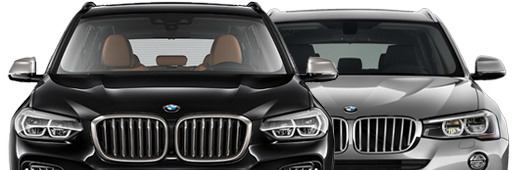
I bought an X3 (G01) which was registered in March 2018. It wasn't brand new but only had 170 miles on the clock. Now, I am sure that in the instrument cluster I had a digital display of the actual speed (small and in white). It wasn't part of the DS display (in that when you pressed the DS button to cycle through the options it remained) and was located close to the cruise control / speed limiter displays. It wasn't the big display of speed that I have seen in, I presume, newer models.
Recently I had to take the car in for a reset / update of the transmission settings. Shortly after getting it back I noticed that there was nothing in the DS display and so had to go into My Vehicle settings to reactivate the information displayed. However, the digital speed display has also disappeared and there are no settings (according to the manual they should be in the 'Display' section of 'My Vehicle' if you have the functionality) to reactivate it.
BMW Genius was stumped and I am now beginning to doubt myself as to whether it was there at all. So my questions are;
1. Has anyone else got the small white digital speed display in the instrument cluster?
2. Has anyone else had it and lost it and been able to get it back - if so how?
3. Has anyone lost it through a transmission reset (which is a known issue apparently).
I am going to ask the service department at BMW what they did when sorting the re-setting the transmission and if they have any idea but thought I would try and see whether anyone on here has had any experience of the issue. Feel free to tell me if I have imagined it, otherwise any assistance greatly received!
Thank you.
39.8KVIEWS
41REPLIES
3APPRECIATES
21ACTIVE PEOPLE
11-10-2023LAST POST
04-28-2019
04-28-2019

Should be an option in idirve to turn it on and off. 1. "Settings" 2. "Info display"3. "Speed limit information". That's assuming your car has one of the driver assistance packs which come with speed limit info.
04-28-2019

04-28-2019
The option should still be there if the car came with it. If not you need an FSC code to retrofit it.
04-28-2019

Eulenspiegel
Private First Class

52
REP
127
POSTS
When you say "digital display of the actual speed" do you mean the true speed or the misleading, false, phoney, BMW speed, about 5% too high?
I'm still looking for a way to get something closer to true speed on the normal speedometer or elsewhere, by Expert coding if necessary. Is this possible?
I'm still looking for a way to get something closer to true speed on the normal speedometer or elsewhere, by Expert coding if necessary. Is this possible?
04-28-2019

adam.b
Lieutenant

202
REP
517
POSTS
Looks like it was a coded in sign recognition, white square.
something like this?
http://cdn.bmwblog.com/wp-content/uploads/2017/01/2017-BMW-5-Series-G3068.jpg
something like this?
http://cdn.bmwblog.com/wp-content/uploads/2017/01/2017-BMW-5-Series-G3068.jpg
04-28-2019

Thanks all. There is nothing in settings, which would suggest it didn't come with it. However, I am convinced it was there. I wondered whether it was coded in but then lost when the transmission was reset (if that is possible?). Adam - you are at 0mph on the speedo so it can't be the actual speed I don't think...? However location is about right, although my digital display is for an older model. Still confused....!
04-28-2019
adam.b
Lieutenant
202
REP
517
POSTS
If you are talking abut that "0" in the middle it is on sport display .
i was thinking abut that square under with 25mph.
In UK there are only 2 types, full digital or "half" like on picture. In other markets/country you can have normal analogue.
i was thinking abut that square under with 25mph.
cricketer wroteWhat older model?However location is about right, although my digital display is for an older model. Still confused....!
In UK there are only 2 types, full digital or "half" like on picture. In other markets/country you can have normal analogue.
04-28-2019
MechX3M40i
Lieutenant Colonel
1,023
REP
1.7K
POSTS
Are you talking about the '0 mph' as shown in this post?
https://www.bimmerpost.com/forums/showpost.php?p=23567604
Or, are you talking about the speed display in the very bottom where you can also choose to display the odometer or the compass? (Which I've seen people coded in)
https://www.bimmerpost.com/forums/showpost.php?p=23567604
Or, are you talking about the speed display in the very bottom where you can also choose to display the odometer or the compass? (Which I've seen people coded in)
04-28-2019
adam.b
Lieutenant
202
REP
517
POSTS
I think he was talking about "0" at the end of the needle (middle of the speedometer) - useful thing, need to check if it will show on my(do not have full digital).
04-29-2019
MechX3M40i wroteYes it is the 0 mph above the needle that was there but now isn't....any idea how to get it back?Are you talking about the '0 mph' as shown in this post?
https://www.bimmerpost.com/forums/showpost.php?p=23567604
Or, are you talking about the speed display in the very bottom where you can also choose to display the odometer or the compass? (Which I've seen people coded in)
04-29-2019

titomi
Colonel

946
REP
2K
POSTS
cricketer wroteThe answer is in that thread 2 post later. Changing units in iDrive. When your defaults are mph, changing to kmh will change your speedometer to kmh and you got that little digital readout in mph.MechX3M40i wroteYes it is the 0 mph above the needle that was there but now isn't....any idea how to get it back?Are you talking about the '0 mph' as shown in this post?
https://www.bimmerpost.com/forums/showpost.php?p=23567604
Or, are you talking about the speed display in the very bottom where you can also choose to display the odometer or the compass? (Which I've seen people coded in)
04-29-2019
MechX3M40i
Lieutenant Colonel
1,023
REP
1.7K
POSTS
cricketer wroteIf you read the whole thread, people got that extra speed display when they switch their display from mph to km/h temporarily to accommodate the change of countries they were in. I guess this is a way for the car computer to 'translate' from km/h to mph or vice versa to benefit the driver who used to one system. So you may get that when you switch the display to km/h temporarily.MechX3M40i wroteYes it is the 0 mph above the needle that was there but now isn't....any idea how to get it back?Are you talking about the '0 mph' as shown in this post?
https://www.bimmerpost.com/forums/showpost.php?p=23567604
Or, are you talking about the speed display in the very bottom where you can also choose to display the odometer or the compass? (Which I've seen people coded in)
Not sure how you can get that on a permanent basis.
04-29-2019
adam.b
Lieutenant
202
REP
517
POSTS
As titomi said, in settings - units- distance- change to km from mi, but total and trip will show in km not miles and it shows just above speedo needle only in kilometers.
It looks funny on sport display as you will have big in miles and just above small in kilometers. good for continental driving
It looks funny on sport display as you will have big in miles and just above small in kilometers.
good for continental driving 04-29-2019
No that didn't work  . Well, it changed the units and then did display the speed in km/h in the centre - see attached photo. The mph display that I remember was located roughly where the time is now displayed - perhaps a bit to the left...
. Well, it changed the units and then did display the speed in km/h in the centre - see attached photo. The mph display that I remember was located roughly where the time is now displayed - perhaps a bit to the left...04-29-2019
adam.b
Lieutenant
202
REP
517
POSTS
Yours is little different, fuel gauge bottom right normally is range o yours is fuel icon with arrow pointing which side is fuel cap. Is yours UK car?
My shows km/h only as well.
My shows km/h only as well.
04-30-2019
titomi
Colonel
946
REP
2K
POSTS
That display is not the full digital display. It's on of those hybrid displays. That's probably why we are confused and talking about different positions. Anyway - go talk to your dealer, what have they done - if it could affect in any way the cluster. Or maybe somebody with the same display will chime in in the meantime.
04-30-2019

cricketer wroteThere was thread ages ago asking a similar question as link below, was it the same place as the one circled, not sure there was ever a definitive answer other that having it coded yourself with BimmerCodeNo that didn't work
https://www.bimmerpost.com/forums/showpost.php?p=23493084
04-30-2019
MarkyM wroteYes that is the one. Brilliant - thanks for at least helping to confirm that I am not going mad!! I will take it up with the dealer as advised, coding is way beyond my skills. Thank you for all your posts and my apologies if I have inadvertently caused confusion by using a US website rather than a UK one....!There was thread ages ago asking a similar question as link below, was it the same place as the one circled, not sure there was ever a definitive answer other that having it coded yourself with BimmerCode
https://www.bimmerpost.com/forums/showpost.php?p=23493084
10-19-2019

the exact thing happened to me with my 2019 X3 - it had a digital actual speed showing up but I had some work done and now it is gone and BMW genius has no idea - not sure if anyone has posted a solution my car was purchased in the US I would love to see the actual speed I am travelling again
10-20-2019

10-21-2019


